
AnimeKai : Watch Anime LS
Digy ManaComics
4.28.00 Reviews
- Version
- 1.3.0
- Installs
- 10.00K
- Age Rating
- Everyone
Screenshots
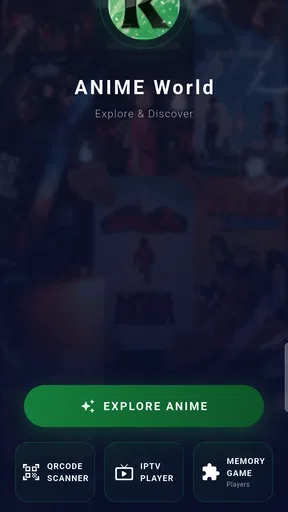
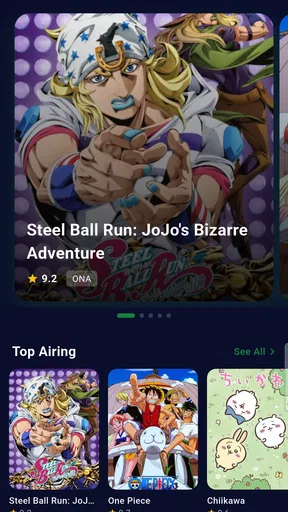
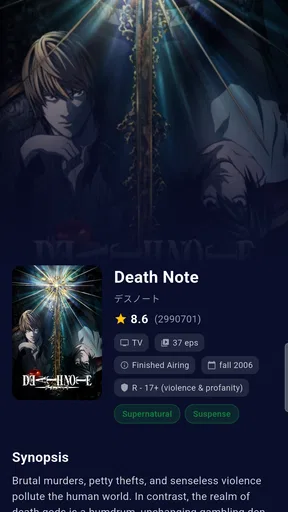
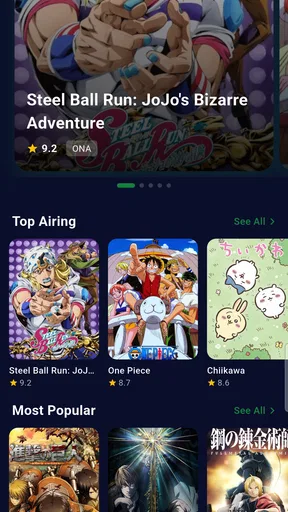
Our Review of AnimeKai : Watch Anime LS
 Analysis by Appyee
AnimeKai: Watch Anime LS is a free comics app from Digy Mana that aims to make following anime easier from a phone. I approached it as the sort of app someone opens between errands, during a commute, or while deciding what to watch next. Its focus is simple: bring anime discovery and viewing into one place rather than making you jump between search results, social posts, and separate entertainment apps.
That simplicity is also where expectations need to be realistic. An app with a short store description does not automatically explain how smoothly every title will load, how easy it will be to find a particular show, or whether it will replace a full streaming service. My experience with AnimeKai is best understood as a practical look at the everyday path from installation to watching, including the points where a user may need patience or basic troubleshooting.
Getting past the first points of friction
The first thing I would tell a friend is to treat the initial launch as a setup check, not as proof of the app’s overall quality. Anime apps often depend on several moving parts: the phone’s Android version, the current app build, the connection, and the availability of the content being requested. AnimeKai supports Android 7.0 and later, so older compatible phones can still be candidates, but age alone does not guarantee a smooth experience. Storage pressure, background restrictions, and a crowded system can matter just as much.
Before judging the app, I would close other demanding apps, confirm that the phone has enough free space for normal operation, and try a stable connection. A weak mobile signal can make a title appear unavailable when the real problem is simply that the request is timing out. Switching briefly between Wi-Fi and mobile data is a useful diagnostic step because it separates a connection issue from an app issue without changing anything complicated.
It is also worth checking that the installed build is current. AnimeKai is currently at version 1.3.0, and keeping that version up to date is more useful than repeatedly reinstalling the same older package. If the app was installed a while ago, an update can resolve ordinary launch or loading friction. I would restart the app after updating rather than immediately opening several screens at once.
The most useful early habit is to change one thing at a time. If you clear the app, change networks, reinstall, and alter phone settings together, you lose the ability to tell which action helped. A short, controlled check is faster in the long run: launch once, test a search or title, wait for the result, and only then move to the next step.
What to check before blaming the app
When a screen does not respond, I first look at whether the rest of the phone is behaving normally. Can another app connect? Does a browser load a lightweight page? Is the device unusually hot or low on battery? These questions sound basic, but they prevent a common mistake: treating a general phone or network slowdown as an AnimeKai failure.
I would also avoid testing during a moment when several downloads, updates, or cloud backups are running. Those background tasks can consume bandwidth and make video or image-heavy content feel unreliable. Pausing them for a minute gives a cleaner impression of the app’s actual behavior.
Because this is a comics-category app centered on anime discovery, the experience depends heavily on how quickly you can move from browsing to a useful title. If you are only looking for a broad way to explore anime, a little patience during the first search is reasonable. If you already know the exact show you want and expect instant, uninterrupted playback every time, your expectations are closer to those of a dedicated streaming platform than a lightweight discovery app.
A sensible setup routine
My recommended routine is deliberately modest. Install the app on a supported device, open it while the connection is steady, and give the first screen time to finish loading before tapping repeatedly. Repeated taps can create a confusing queue of actions, especially when a page is waiting for a response. If a title does not appear, try a simpler search term or browse again after returning to the previous screen instead of assuming the content has vanished.
I would keep the phone’s date and time set automatically as well. Incorrect system time can interfere with secure connections in many mobile apps, so correcting it is a sensible general check when pages refuse to load. This is not an AnimeKai-specific feature or requirement; it is simply one of the safer phone-level checks that can explain odd connection behavior.
The app is free, which makes this setup process easy to try without committing money. It is also rated for Everyone, so it is accessible to a broad audience from an age-rating perspective. That does not mean every anime theme will suit every family, however. I would still use normal parental judgement about what a younger viewer watches, especially because age labels describe the app category rather than guaranteeing that every individual title feels appropriate for every child.
How I would use it during a normal week
My preferred use case is casual discovery. Suppose I have twenty minutes before leaving for work and remember only part of a show’s name. I would open AnimeKai, search with the clearest fragment I can remember, and use the results to confirm whether I have found the right series before committing to it. That is more practical than opening several general search pages, comparing screenshots, and trying to remember which result looked familiar.
A second useful situation is deciding what to watch with a friend. Instead of sending a long list of recommendations, I would use the app as a shared browsing surface: search for a few familiar titles, compare the available choices, and let the other person pick. The value here is not a sophisticated recommendation system that I can promise; it is the reduced effort of having anime-focused exploration in one app.
I would not make it my only tool for organizing a large personal watchlist unless its browsing flow feels comfortable for that specific habit. People who track dozens of series, compare release details, or need detailed filters may prefer a dedicated catalog or a full streaming service. AnimeKai makes more sense when the goal is to explore and start watching with minimal ceremony.
One small workflow improvement is to search with a title’s most distinctive word first. Long queries containing punctuation, alternate spellings, and extra season labels can be less helpful than a short, recognizable phrase. If the first result is not convincing, refine the search rather than repeatedly opening the same item. This saves time and reduces the chance of confusing similarly named shows.
Recovering when a title or page stalls
If a page remains blank, I would first wait briefly and then return to the previous screen once, rather than tapping the same control many times. Next I would retry the request on a different connection. If only one title fails while other areas respond, that points more toward a title-specific or content-side problem than a complete app failure.
Force-closing and reopening the app is a reasonable next step. If the problem continues, restarting the phone can clear a temporary system process that is holding up network or memory resources. These are safe, reversible actions and should come before more disruptive steps.
Clearing temporary app storage can sometimes help with a damaged local cache, but I would use that carefully and only after noting anything I may need to set up again. Clearing storage is more disruptive than clearing a cache because it can remove local app state. I would not make it the first recommendation to a new user, and I would not repeat it as a ritual every time a page loads slowly.
Reinstalling is the final basic recovery step I would try, not the opening move. It takes longer, may reset local preferences, and will not fix a server-side or network-side issue. If an app behaves exactly the same after a clean installation on a stable connection, the problem may be outside the phone.
Separating app trouble from content trouble
There is an important difference between the app opening successfully and a particular show being available or playable. If the interface loads, searches respond, and several other titles work, one failed item should not automatically lower your judgement of the entire application. Content services can have isolated interruptions, incorrect entries, or temporary availability issues that a reinstall cannot repair.
For that reason, I would test two or three different titles before reaching a conclusion. I would also note whether the failure happens at browsing, title selection, or playback. A browsing problem suggests a different path from a playback problem, and identifying the stage makes any later support request more useful.
Connection quality deserves special attention. Video can expose instability that ordinary text browsing hides. A page may open quickly while a stream repeatedly pauses because the connection is fluctuating. Moving closer to the router, disabling a congested hotspot, or testing another network can reveal whether the app is actually responsible.
Phone settings can interfere too. Battery-saving modes may restrict background activity, while aggressive data-saving settings can limit media-heavy behavior. I would temporarily test with those restrictions relaxed, then restore them if they are not relevant. The goal is diagnosis, not leaving the phone with unnecessary settings disabled.
Where AnimeKai fits beside familiar alternatives
Compared with a general web search, AnimeKai offers a more focused starting point for anime browsing. You do not have to filter as much unrelated material, and the app’s purpose is immediately clear. Compared with a major subscription streaming service, though, I would expect fewer polished account, discovery, and playback conveniences unless the individual experience proves otherwise. A full service is usually the better choice for someone who values a broad, dependable catalog, formal viewing controls, and a highly established television-style experience.
Compared with a comics reader, AnimeKai is aimed at a different kind of attention. A comics app is built around reading panels at your pace; AnimeKai is more useful when you want to explore anime-related viewing rather than settle in with a page-by-page reading session. Choosing between them depends on whether your spare time is better served by watching or reading, not simply by which interface looks cleaner.
I also would not confuse a free price with a guarantee that it will outperform paid alternatives. Free access is a strong reason to try it, particularly for occasional viewers, but reliability and catalog fit matter more than the entry cost once you use an app regularly. Someone who watches every day may reasonably prefer a paid service if it removes the exact interruptions that bother them.
Who will enjoy it, and who should skip it
AnimeKai is a good match for casual anime fans who want a focused place to explore shows without paying at the outset. It also suits people who are comfortable performing simple troubleshooting when a connection or title behaves unpredictably. The app’s broad Everyone age rating and support for Android 7.0 or later make it approachable across a range of compatible devices.
I would be more cautious recommending it to someone with an older, heavily loaded phone who expects every media app to feel instant. I would also point frequent viewers toward a more established streaming alternative if uninterrupted playback, detailed account features, or a predictable long-term catalog is their top priority. Likewise, readers looking specifically for manga or comics pages may find a dedicated reading app better aligned with their habits.
The developer, Digy Mana, has kept the proposition straightforward: install a free anime-focused app and explore. That clarity is appealing, but it also means I judge it by how efficiently it helps me reach something worth watching. I do not need a complicated interface for this purpose; I do need search, loading, and recovery to feel understandable when something goes wrong.
My practical verdict
AnimeKai: Watch Anime LS is worth trying if you want a free way to explore anime from an Android phone and do not mind taking a few sensible steps when a page or title stalls. Its average rating is 4.3 from around 900 ratings, and the app has passed 10 thousand installs, which gives it a meaningful user base without making it feel like an unavoidable mainstream platform. I read those figures as encouraging, but not as a substitute for testing it on your own connection and device.
My final advice is to install it with a specific, modest goal: find a few shows, test browsing on a stable connection, and see whether its workflow matches the way you actually watch. Do not judge it solely by one failed title, and do not spend an hour reinstalling when another network test would answer the question faster. If the app helps you discover anime with little effort, its free access makes that a fair trade. If you need a fully managed premium viewing experience, a dedicated streaming service will likely be the better fit.
For casual discovery, AnimeKai is a practical option; for demanding daily viewing, test its reliability before making it your main anime destination.
Verdict
Strengths of AnimeKai : Watch Anime LS
- Large anime catalog with plenty of popular and lesser-known titles.
- Clean interface makes browsing genres and series straightforward.
- Supports multiple streaming servers for better playback availability.
- Episode pages provide useful details before you start watching.
- Regular content updates help keep the library feeling current.
Limitations of AnimeKai : Watch Anime LS
- Some titles may be unavailable depending on your region or server.
- Streaming quality can vary noticeably between different sources.
- Ad interruptions may reduce comfort during browsing or playback.
- The app may require external players or extra steps for some videos.
- Subtitle accuracy and timing can differ from one release to another.
Similar Picks in This Category
View All
WEBTOON: Manga, Comics, Manhwa
NAVER WEBTOON4.6

MangaToon: Comic & Manga
MangaToon4.3

네이버 웹툰 - Naver Webtoon
NAVER WEBTOON4.3

Tapas – Comics and Novels
Tapas Entertainment Inc.4.2

Lezhin Comics - Daily Releases
LEZHIN ENTERTAINMENT3.3

WebComics - Webtoon & Manga
WEBCOMICS HOLDINGS HK LIMITED4.4
Frequently Asked Questions
What is AnimeKai: Watch Anime LS, and what can I watch on it?
AnimeKai: Watch Anime LS is designed for anime fans who want to browse and watch animated series and movies from a mobile device. Its catalog, genres, subtitles, video quality, and available titles may change over time, so the exact selection depends on the current service and your region. Before downloading, check the app listing and in-app information to confirm that it offers the shows and language options you want.
Is AnimeKai: Watch Anime LS free to download and use?
The application may be available to download without an upfront charge, but free access does not always mean that every feature or title is completely free. Some streaming apps rely on advertising, optional purchases, subscriptions, or external services. I recommend reviewing the Google Play or App Store pricing details, payment terms, and any subscription conditions before starting playback or entering billing information.
Does AnimeKai: Watch Anime LS support subtitles, dubbed anime, or offline viewing?
Subtitle and dubbing support can vary from one anime to another, and not every title necessarily includes the same language choices. Offline downloads may also be unavailable or limited by the app, licensing agreements, or account requirements. After installation, open a few different titles and inspect their player settings to verify subtitle languages, audio tracks, download options, and playback controls before relying on the app for travel.
Is AnimeKai: Watch Anime LS safe and legal to use?
Safety and legality depend on how the application distributes its content, what permissions it requests, and whether it is officially available through a trusted app store. Avoid modified APK files, suspicious download pages, and apps requesting unnecessary access to contacts, messages, or device files. Check the developer name, privacy policy, store reviews, and content licensing information, and use security software if anything about the installation seems unusual.
What should I do if videos do not play or the app has problems?
Streaming problems can be caused by an unstable connection, overloaded servers, outdated software, device compatibility, regional restrictions, or an unavailable title. Try switching between Wi-Fi and mobile data, restarting the app, clearing its cache, updating it, and reducing video quality. If the issue continues, consult the developer’s support page or store listing. Do not install unofficial versions simply to bypass errors, since they may create privacy and security risks.
